The new SafeRoad portal and app
Build a fleet that's road‑ready.
Drivers, trucks, documents and expiry dates in one place. Watch it come together.
Watch the truck come together

The new SafeRoad portal and app
Drivers, trucks, documents and expiry dates in one place. Watch it come together.
Watch the truck come together
01 Your company
Keep your USDOT, company filings and team together. Give each person a role and decide what they can do.
02 Drivers
Licence, medical card, MVR and Full Query sit together in each driver's qualification file. Invite drivers to add their own details from a phone.
03 Units and trailers
Registration, annual inspection, insurance card and Form 2290 for every unit, with trailers linked to the truck that pulls them.
04 Expiry notices
By default, notices go out 30, 15, 7 and 1 day before an expiry date, by email and inside the portal. Change the schedule to suit your company.
05 Services and orders
Choose a monthly subscription with every service, or buy only the services you need. On a driver's file, order a due document from SafeRoad or upload your own.
See what needs you today, deal with it, and keep rolling.
Inside the new portal
Pick a view. These are screens from the new portal, shown with sample data.
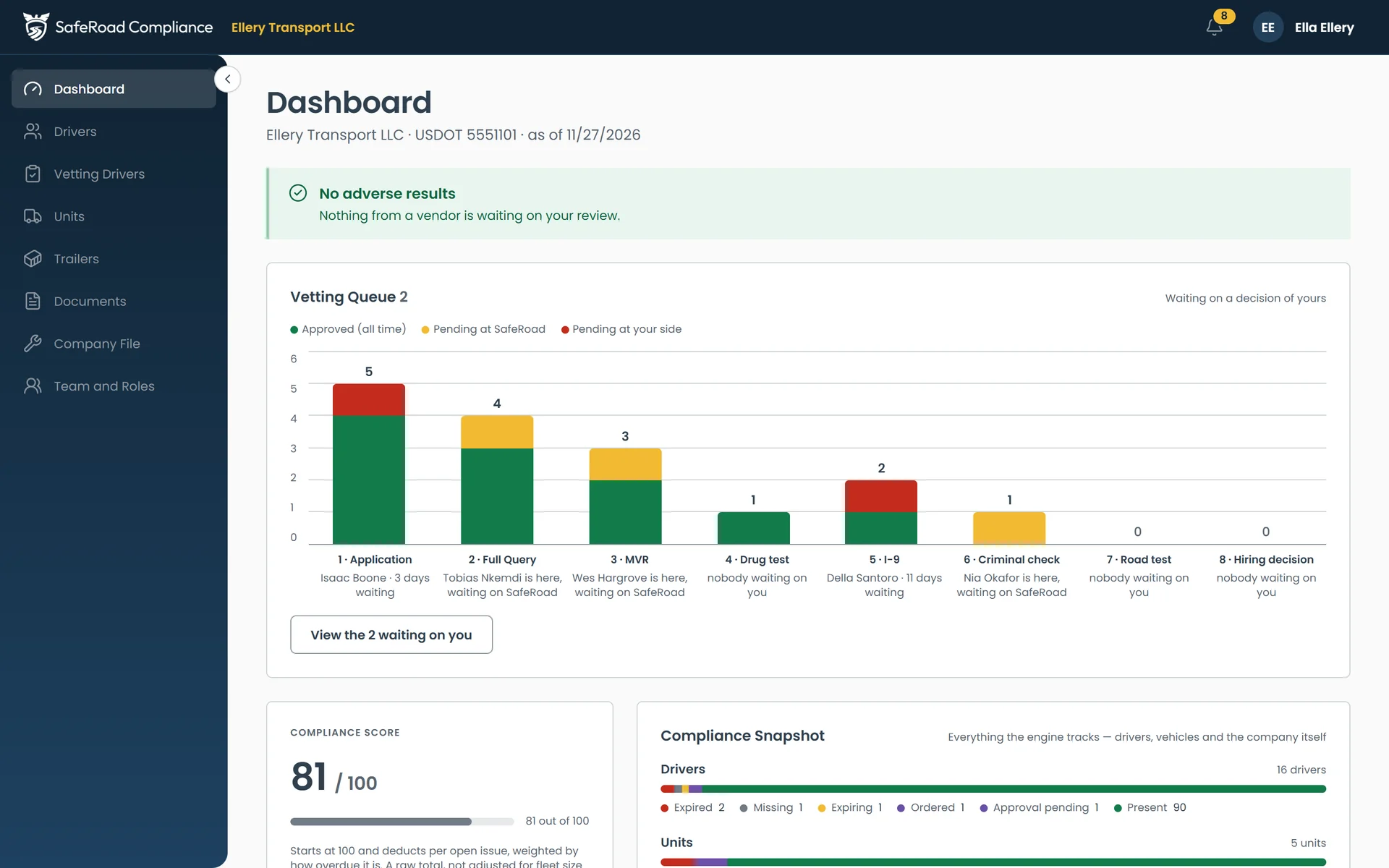
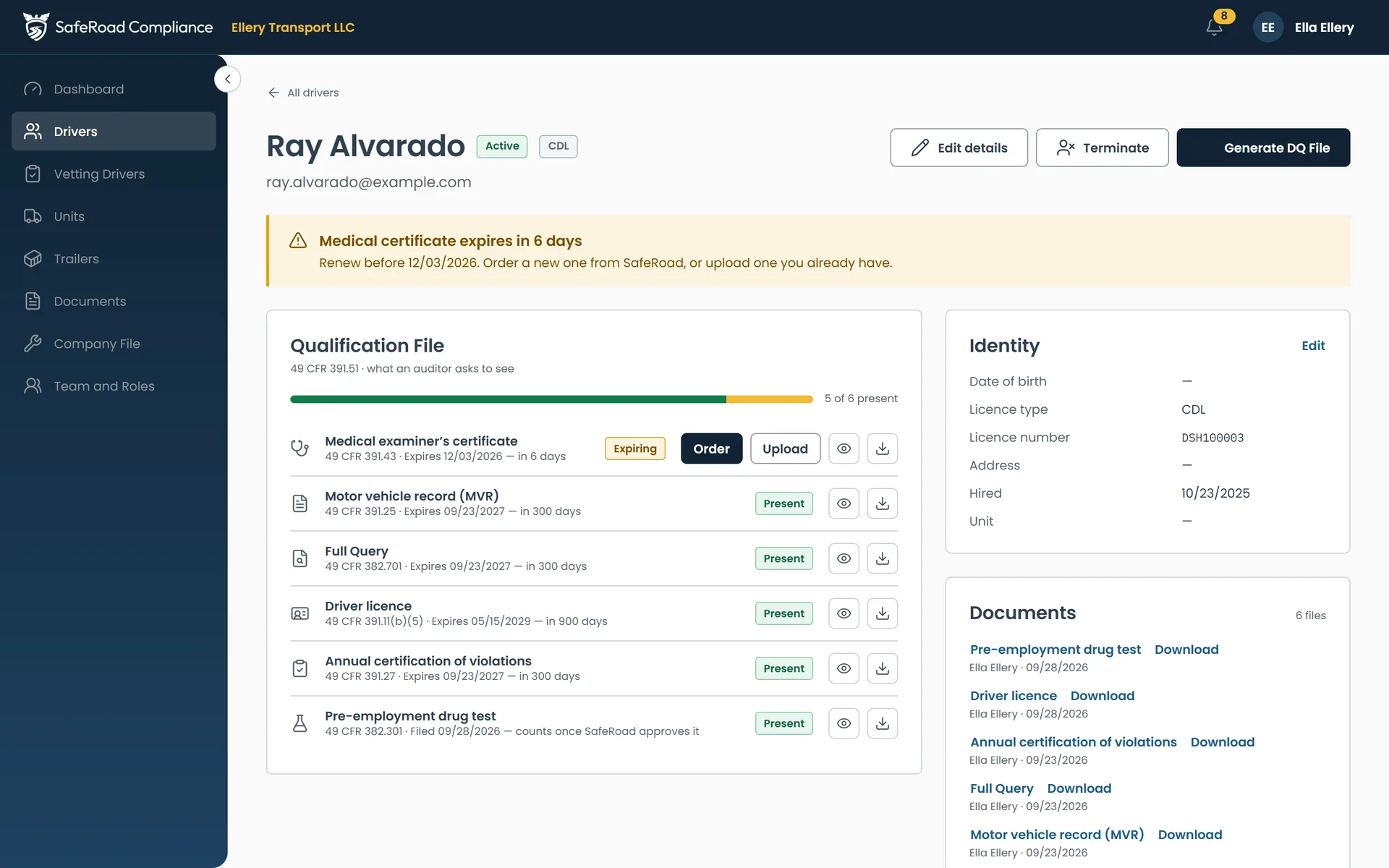
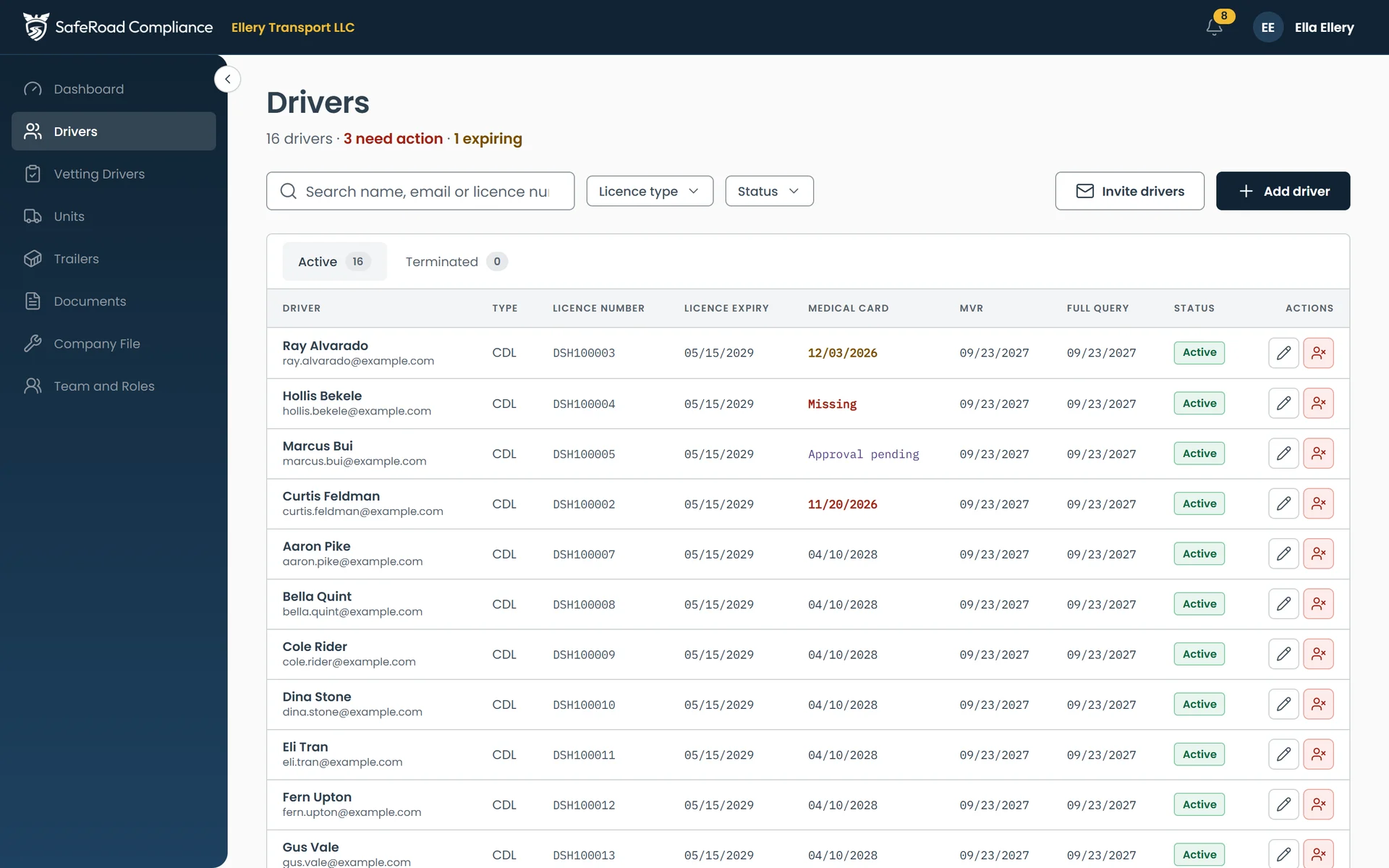
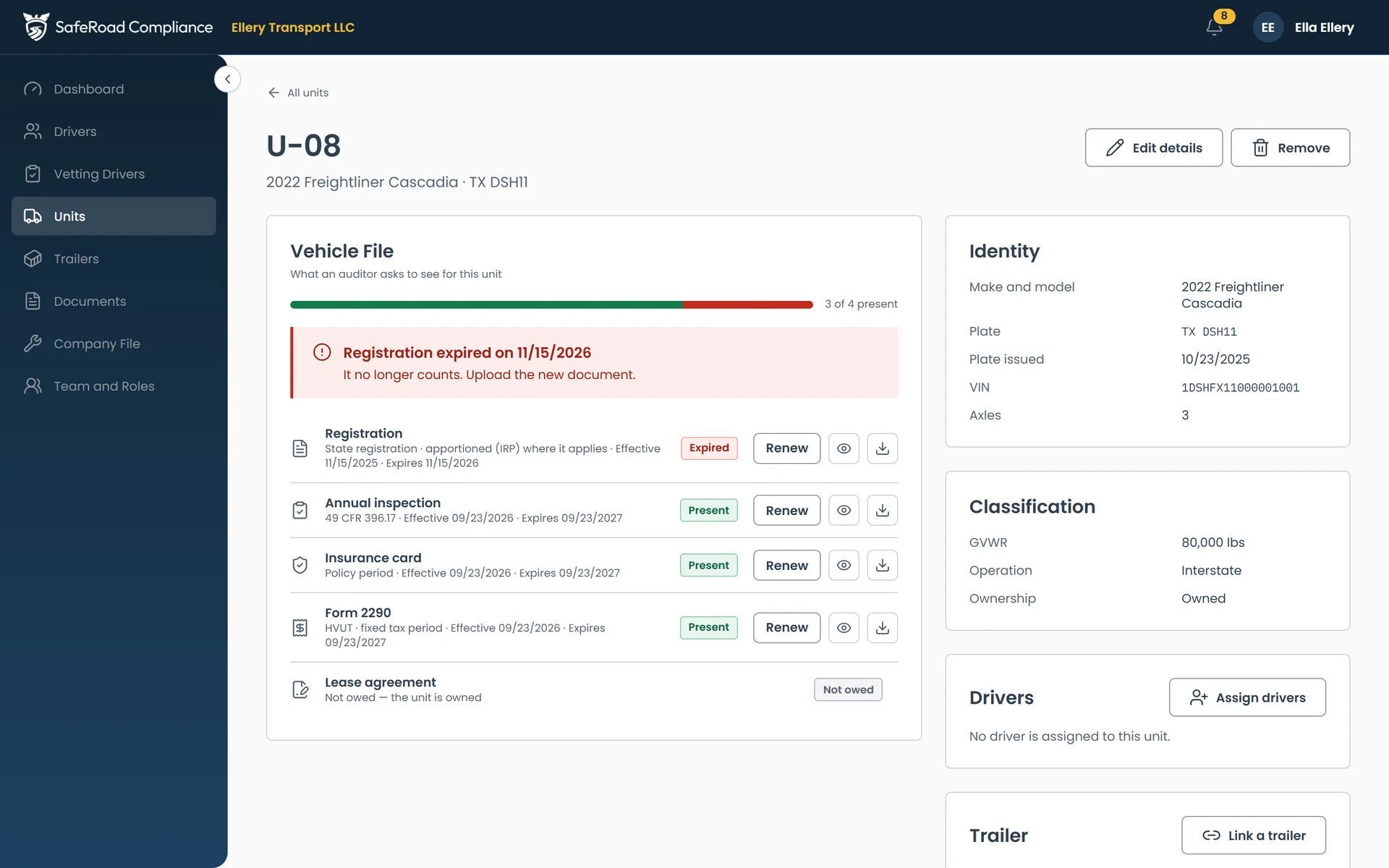
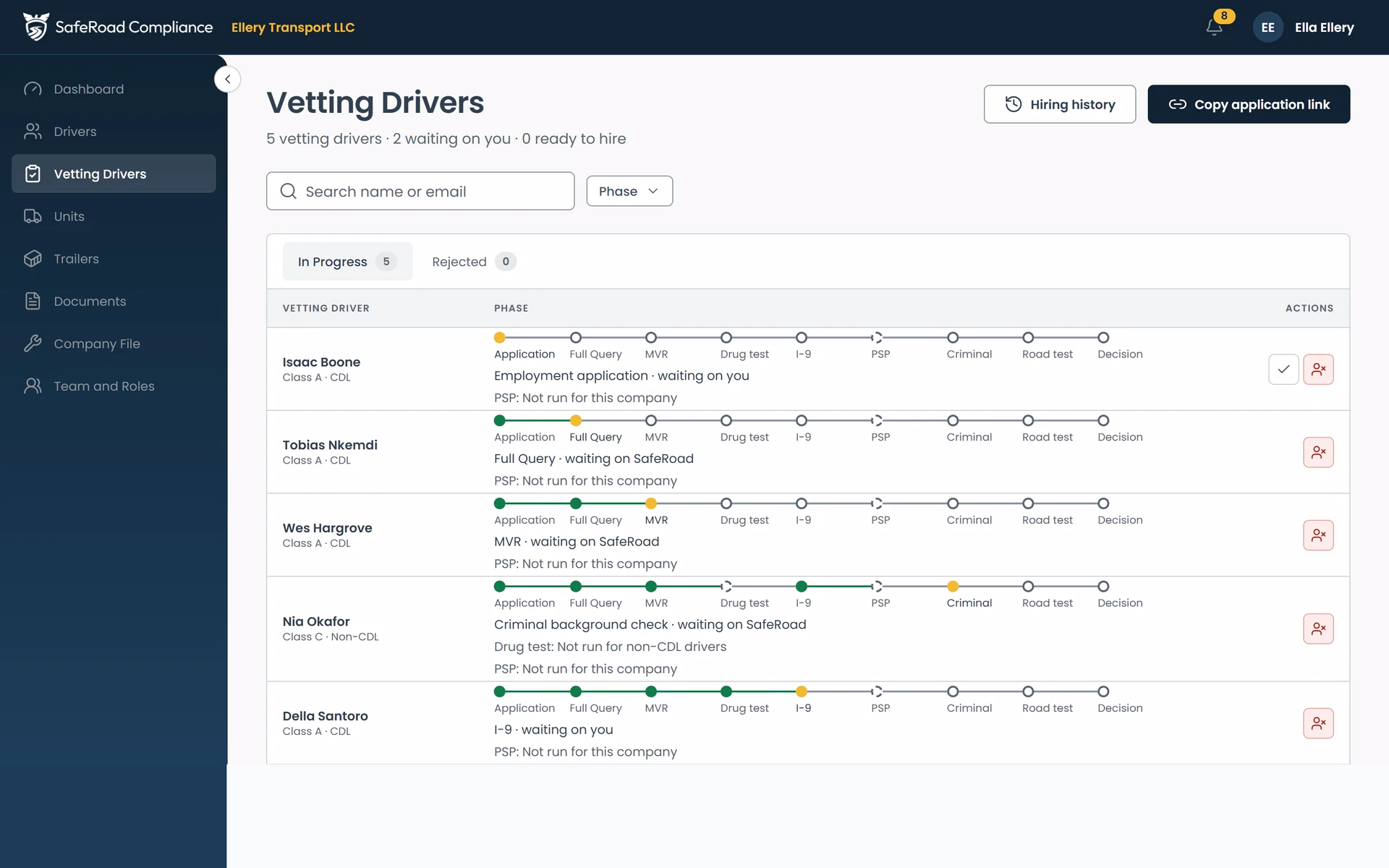
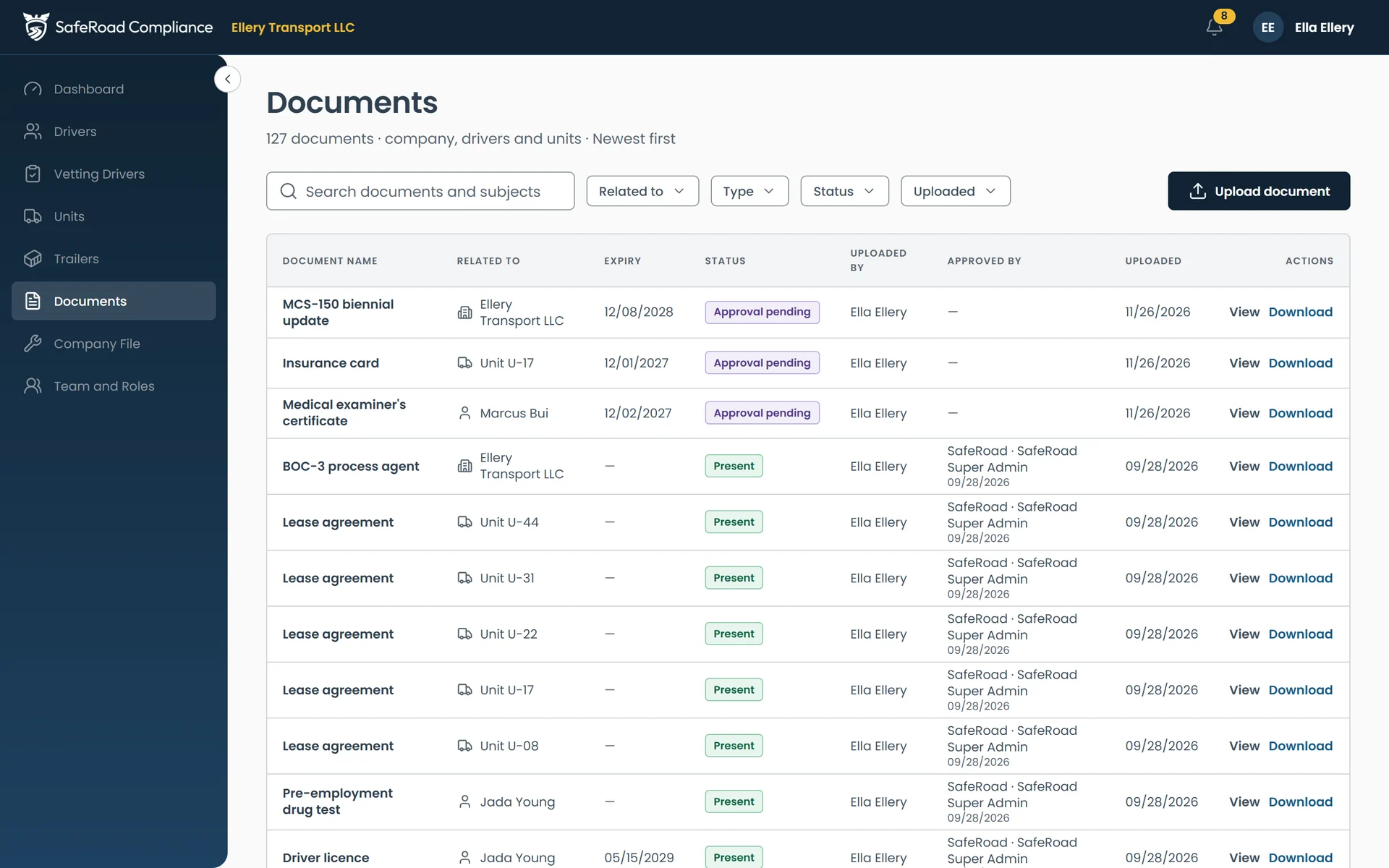
A compliance score, the vetting queue and what is waiting on you.
Coming soon
One app for the office and one for the driver, working with the same records as the portal.
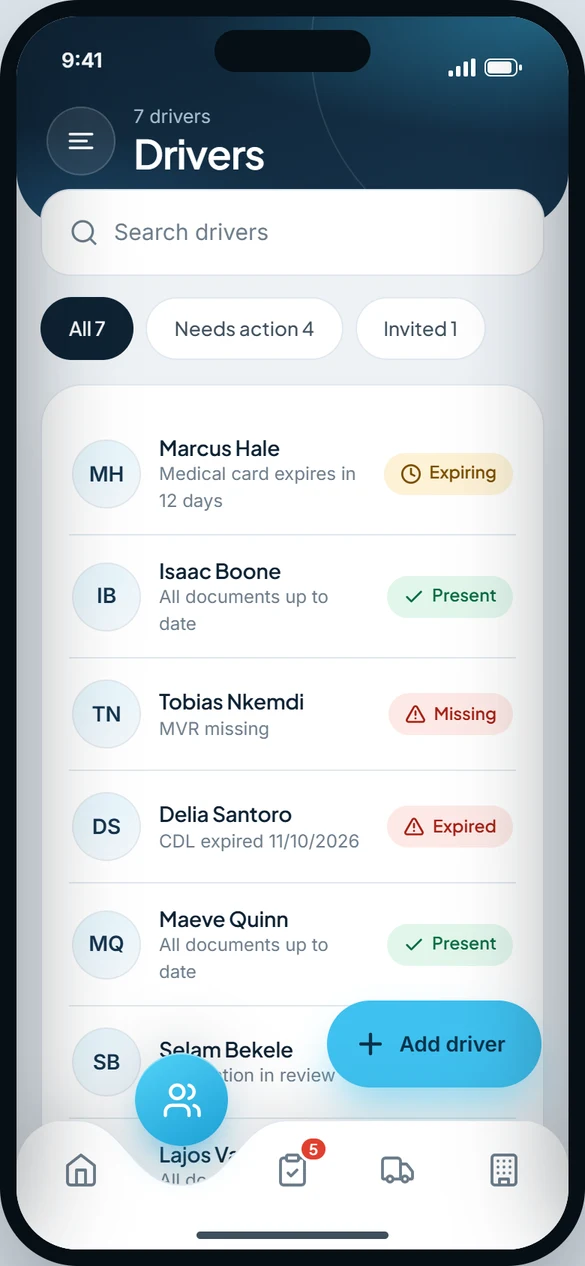
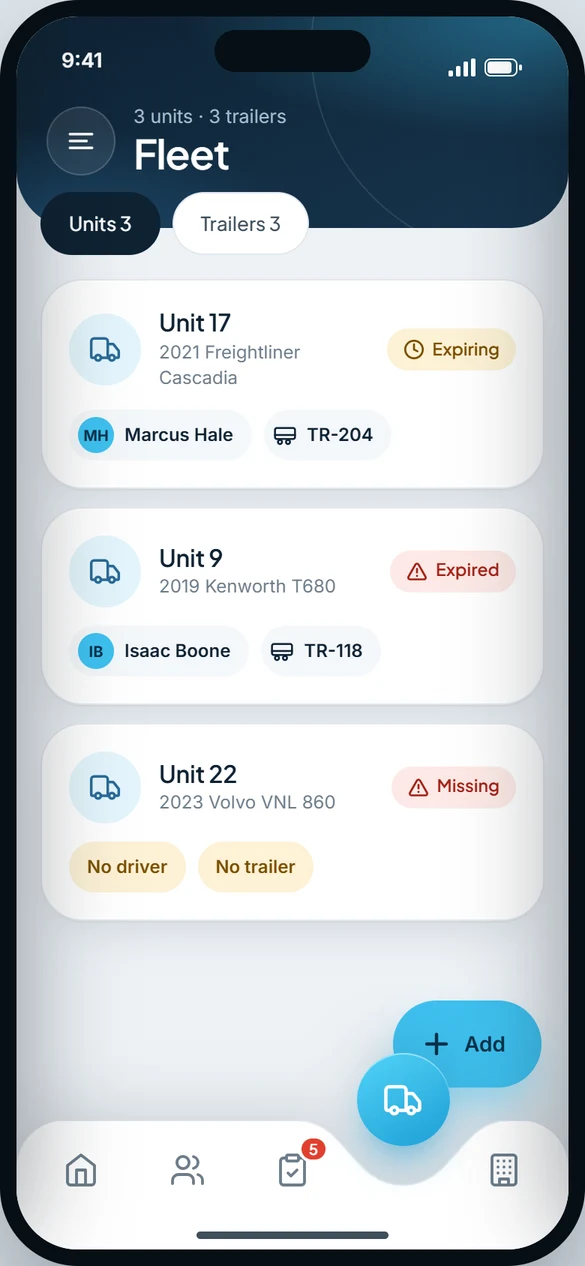
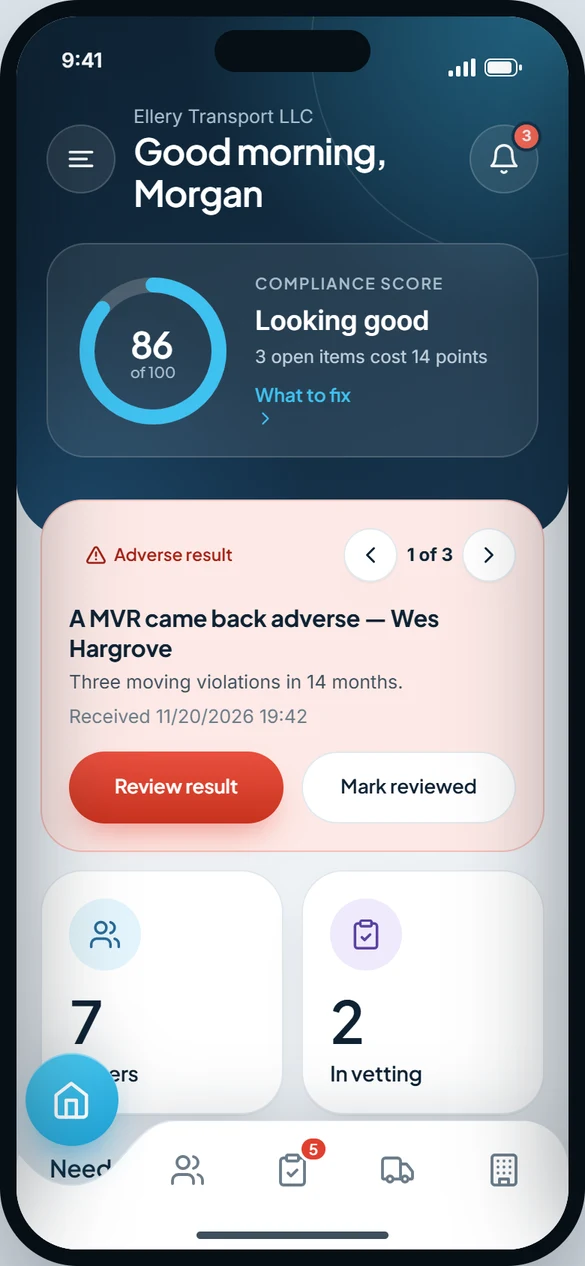
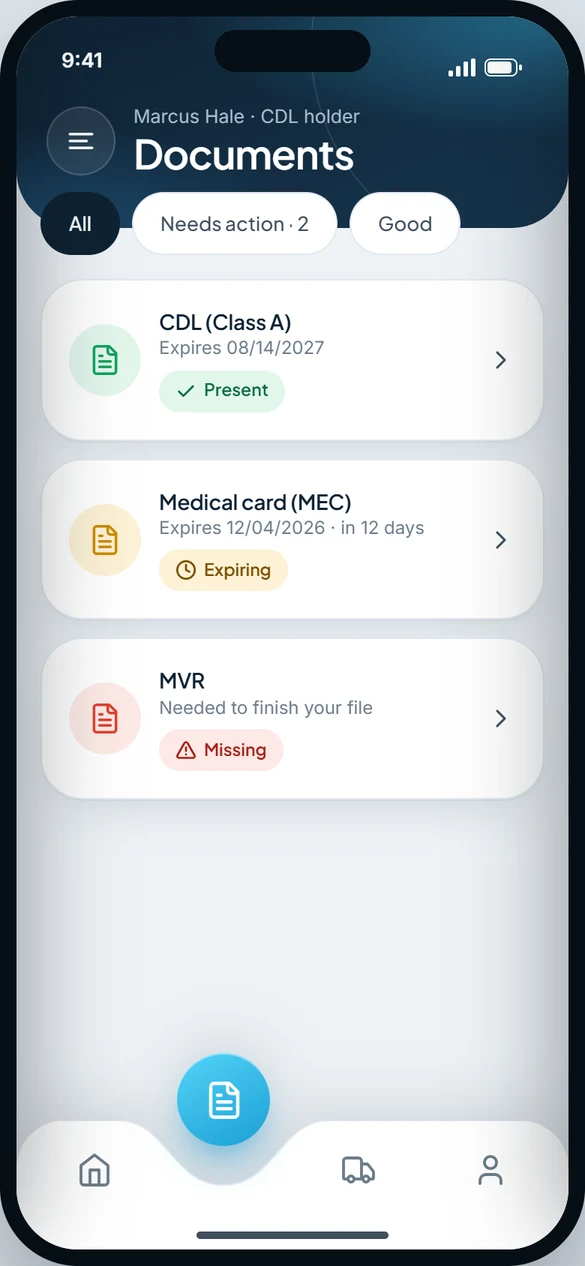
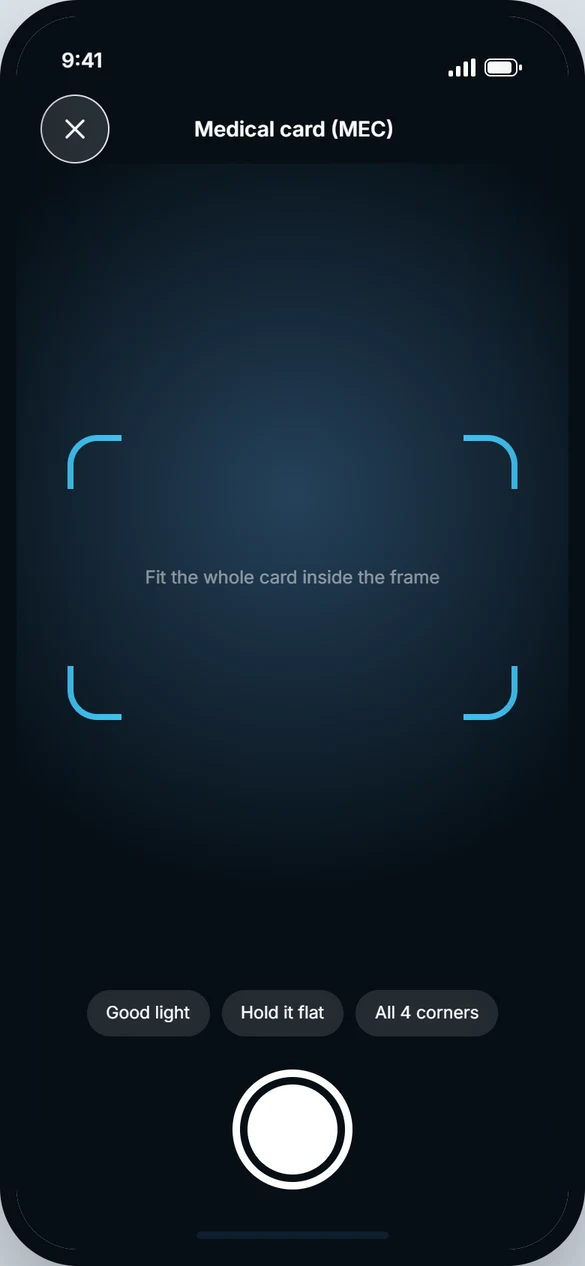
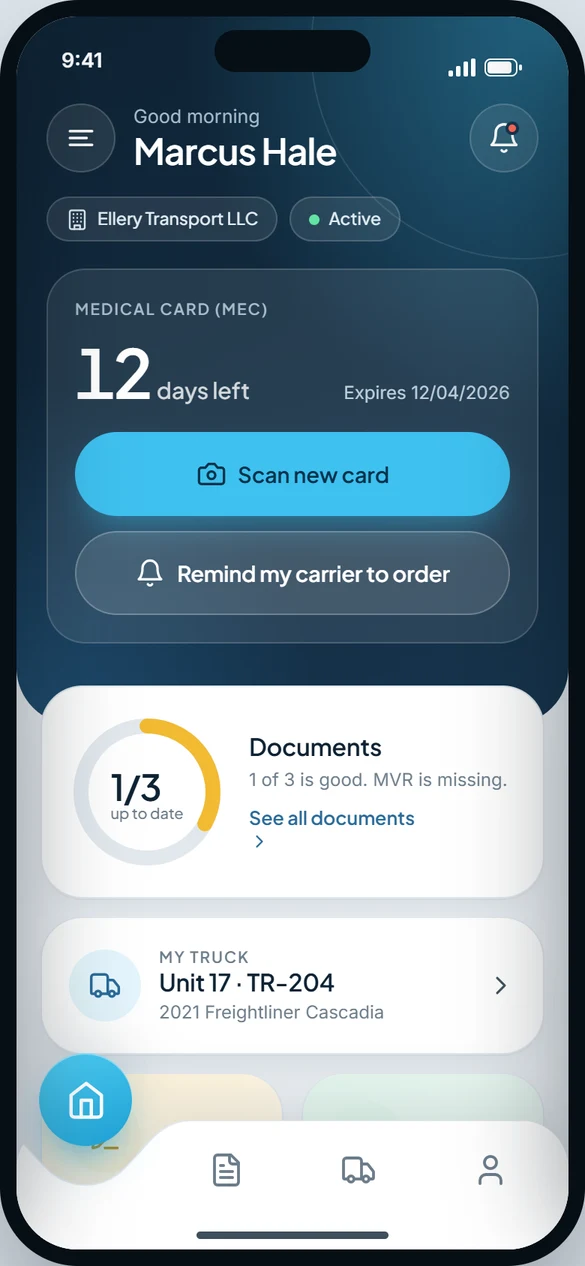
App screens are design previews and may change before release.
How to start
Sign up, add your company details and choose how you want to buy.
Add them yourself, or send drivers a link so they can fill in their own details.
Your dashboard shows what is expiring, missing or waiting on you.

Create your account, or schedule a meeting and we'll walk you through it.